Nodes > Particles > Initialize Particle
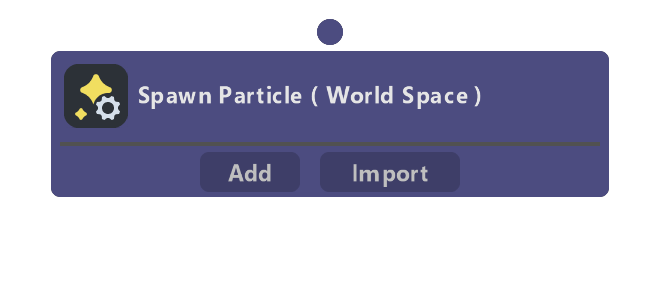
The initialization stage of the particle simulation. Modify Attribute nodes added to this container are processed for a single frame the moment the particle is created.
When an Emit container is not connected to this node, it allows for particle emission using a set of fixed functions. This is an older style of emission and is not recommended, but still supported for backwards compatibility. Please use the Emit container for all new VFX.
Before Studio 5.18:
Under Advanced Options, it was possible to set the minimum and maximum values for several attributes (Position, Velocity, Size, Color, Mass). The difference between the minimum and maximum values had an effect on the attribute's precision: larger bounds became less accurate, and smaller bounds became more accurate. An attribute was always clamped to its minimum and maximum values. Safe values were chosen by default, but you could edit them as necessary. For example, if you had a very small, slow moving particle system, you could lower the position and velocity bounds to gain more precision.
Studio 5.18+:
The particle system now uses raw float precision for all attributes, eliminating the need for manual precision configuration. The Culling Bounds section defines the spatial boundaries for particle culling. This is purely a performance optimization to cull particles that have left the visible or relevant area, it does not affect attribute precision. Set the bounds large enough to contain your entire particle system's expected movement range. Use Per Axis mode to define different bounds for each axis (X, Y, Z), or use uniform scalar mode for symmetric bounds.
Properties
| Name | Type | Description |
|---|---|---|
| Spawn Space | dropdown | Selects whether or not particle attributes are affected by the VFX Component's SceneObject transform. When set to Local, particle position, rotation, and scale are transformed by its Scene Object. When set to World, the Scene Object's transforms are ignored. |
| Spawn Mode | dropdown | How particles are spawned over time. Continuous spawns particles at a rate defined by Spawn Rate (per second). Burst will instantaneously spawn particles at a rate defined by Burst Rate (per second). Once will spawn all particles in the system on the first frame of its creation (plus any Delay). |
| Burst Rate ( per sec ) | float | When Spawn Mode is set to Burst, this controls the frequency that particles are spawned. A value of 1 means particles are spawned every 1 second, a value of 0.5 means they are spawned every 2 seconds, etc. |
| Spawn Rate ( per sec ) | float | When Spawn Mode is set to Continuous, this controls how many particles are spawned every second. When Spawn Mode is set to Burst, controls how many particles are spawned at every burst tick. |
| Life Span | dropdown | When Spawn Mode is set to Once, this dropdown becomes visible. Live Forever makes the particles live forever and makes particle lifespan and age have no effect. Max Life uses the Max Particle Life (secs) value to determine the maximum particle lifespan. |
| Max Particle Life ( secs ) | float | The maximum amount of time particles are allowed to live. |
| Max Particles | int | The total number of particles in the system. When Spawn Mode is set to Continuous, this value is a product of SpawnRate * MaxParticleLife. When set to Burst, this value is a product of SpawnRate * MaxParticleLife * BurstRate. |
| Play Rate | float | The overall speed of the simulation and a multiplier on the current delta time. Play Rate affects the speed at which Component Time accumulates. |
| Use Fixed Delta Time | bool | Toggles whether to use a fixed delta time or not. |
| Fixed Delta Time | dropdown | When Use Fixed Delta Time is true, this value is used for Delta Time. The Fixed Delta Time can be set from the VFX asset, and all VFX copies will receive the same Fixed Delta Time. |
| Custom Value | float | Custom input value for Fixed Delta Time. |
| Delay ( secs ) | float | Introduces a delay before the system begins simulating, given in seconds. The Delay timer starts when the VFX Component is enabled. |
| Enable Warmup | bool | Toggles the Warmup option (also known as preroll or prewarm). Warmup will run the simulation for a set amount of frames on the first frame of its instantiation in the scene. This is very useful for making VFX systems appear to be in a more advanced state when a lens first starts. |
| Warmup Time ( secs ) | float | How long the system should simulate for during warmup. |
| Warmup Steps | int | The number of steps used to calculate warmup. The fewer the steps, the better the VFX will perform on the first frame at the cost of simulation accuracy. |
| Warmup Delta Time | string | The delta time used during warmup, computed as WarmupTime / WarmupSteps. Delta times which are too large can lead to inconsistencies in the warmup behavior. For example with Spawn Burst, the delta time should be less than the burst period, otherwise particle emission will be skipped for that burst. A delta time of 0.0333 is considered very accurate. |
| Per Axis | bool | When enabled, allows setting different culling bounds for each axis (X, Y, Z). When disabled, uses a uniform scalar value for all axes. |
| Min | float | Uniform float, minimum culling bound for particle positions. Particles outside this bound will be culled. |
| Max | float | Uniform float, maximum culling bound for particle positions. Particles outside this bound will be culled. |