WebXR
Overview
WebXR support on Spectacles enables you to create AR experiences that run directly in the browser through the Browser Lens. You can build compatible WebXR applications using standard web technologies and have them seamlessly run on Spectacles without additional development.
What is WebXR?
WebXR is a web standard that provides access to virtual reality (VR) and augmented reality (AR) devices through web browsers. For Spectacles, this means you can create AR experiences using familiar web development tools and frameworks.
Learn more about WebXR at: https://immersiveweb.dev/
How WebXR Works on Spectacles
Browser Integration
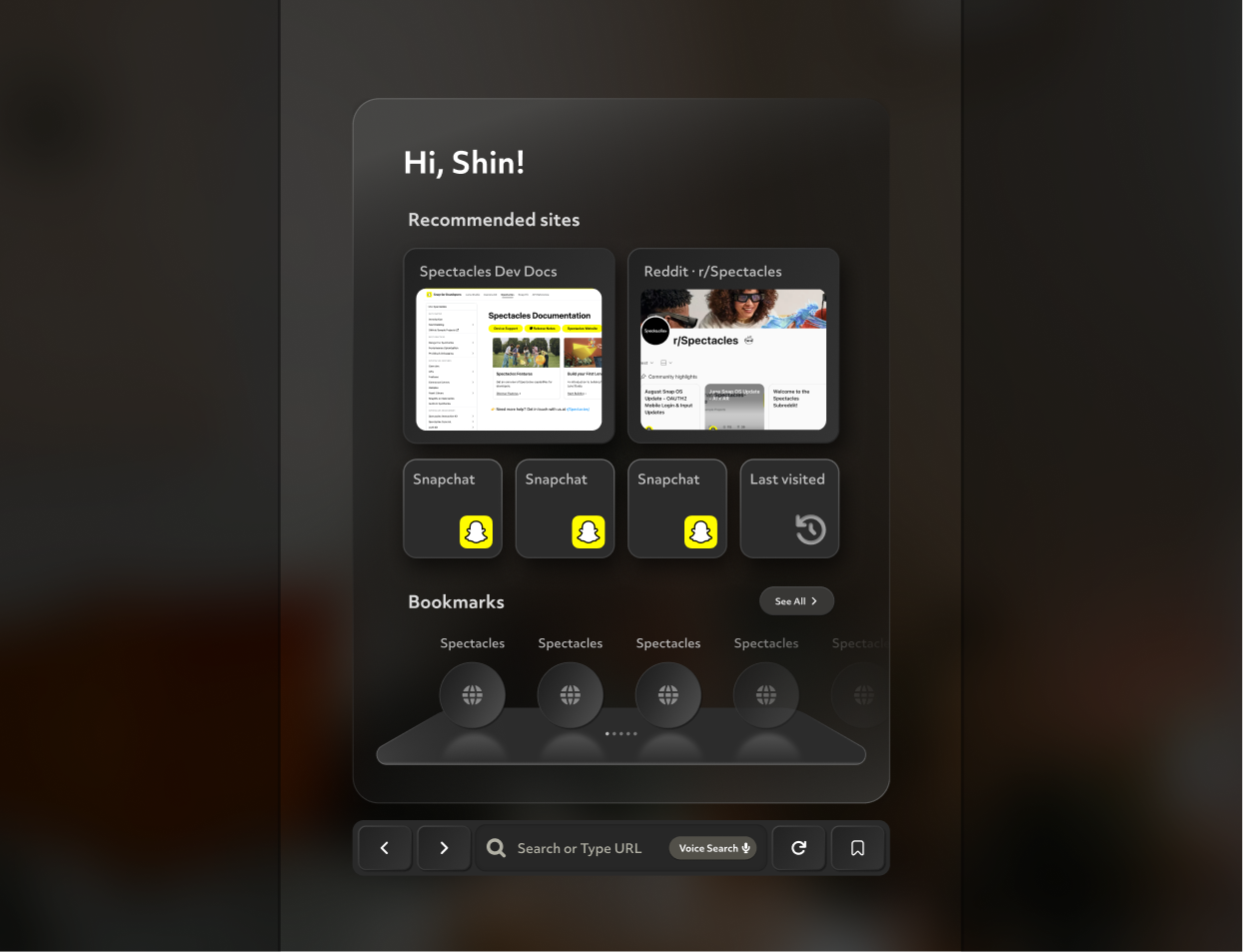
Your WebXR applications run through the Spectacles Browser Lens, which you can find in your Spectacles Lens Explorer page. This provides:
- Seamless AR experiences: No app installation required
- Standard web APIs: Use existing WebXR development knowledge
- Cross-platform compatibility: Works across different XR devices
System UI Features
Spectacles provides built-in system UI to enhance the WebXR experience:
Immersive Mode Notification
- Entry notification: Users see a 3-second notification when entering WebXR "immersive mode"
- Clear indication: Users understand they're transitioning from 2D web browsing to AR experience

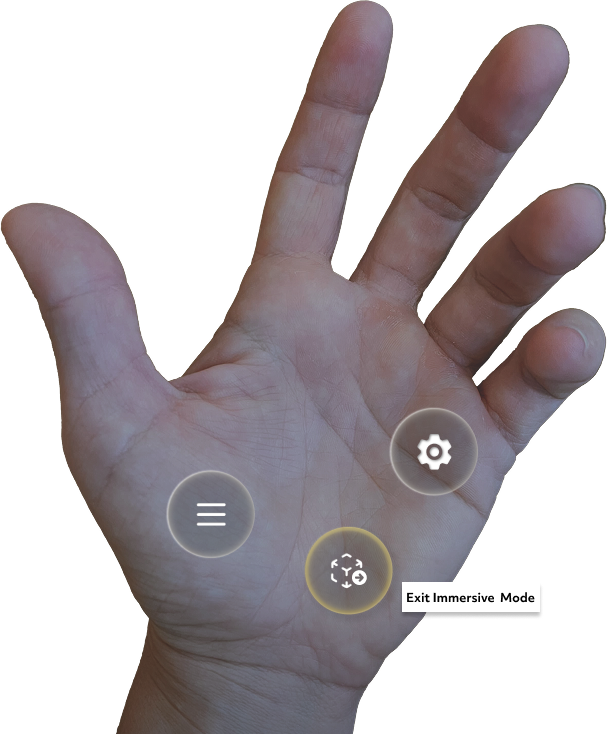
Palm-based Exit Control
- Easy exit: Users can return to 2D web browsing via a button on their palm
- Intuitive interaction: Consistent with Spectacles' gesture-based interface
Capture and Sharing
- Built-in capture: WebXR experiences can be captured and shared
- No additional setup: Capture functionality works automatically
Menu Integration
- Pause on menu: WebXR experiences pause when users access the palm menu
- Consistent behavior: Maintains expected system-level interactions
Development Resources
Recommended Development Platform
Build WebXR experiences for Spectacles using PlayCanvas: https://developer.playcanvas.com/user-manual/xr/using-webxr/
Example WebXR Experiences
Explore these demo applications built specifically for Spectacles:
| Demo | Description | URL |
|---|---|---|
| 🪑 Chair Demo | Furniture placement experience | https://webxr-chair.vercel.app/ |
| 👟 Sneaker Demo | Product visualization | https://webxr-sneaker.vercel.app/ |
| 🍔 Burger Demo | Food interaction experience | https://webxr-burger.vercel.app/ |
| 🟠 3D Tic-Tac-Toe | Interactive game | https://webxr-tictactoe.vercel.app/ |
Examples created by Adam Varga
Source Code: View the complete source code for all demos on GitHub:
https://github.com/dmvrg/webxr-ar-demos
Supported WebXR Features
Core Support
- WebXR Core: Full support for basic WebXR functionality
- WebXR AR Module: Augmented reality specific features
- Hand Input: Native hand tracking integration
Input Methods
- Hand Tracking: Primary interaction method on Spectacles
- Gesture Recognition: Supports standard WebXR hand input APIs
Limitations
- WebXR Gamepads: Theoretically supported but not practically usable (no standard gamepad connection methods)
- WebXR Hit Testing: Currently emulated; full native support planned for future releases
Getting Started
- Choose your development framework: We recommend PlayCanvas for WebXR development
- Build your WebXR experience: Use standard WebXR APIs with AR module support
- Test in browser: Ensure your experience works in WebXR-compatible browsers
- Deploy your application: Host your WebXR app on any web server
- Access via Spectacles: Users can find the Browser Lens in their Spectacles Lens Explorer page and visit your URL
Your WebXR experience will automatically integrate with Spectacles' System UI and hand tracking capabilities.