Spectacles Lens Project Setup
Download latest Lens Studio

Download Spectacles App



Create a Lens Project
When you open Lens Studio for the first time, you will see a Home Page with various distribution targets and templates.
You can begin building Lenses for Spectacles in two ways:
- Start with the Spectacles Starter Project.
- Create a new Lens project from scratch.
Spectacles Starter Project
Open the Spectacles Starter Project directly from Lens Studio Home Page.
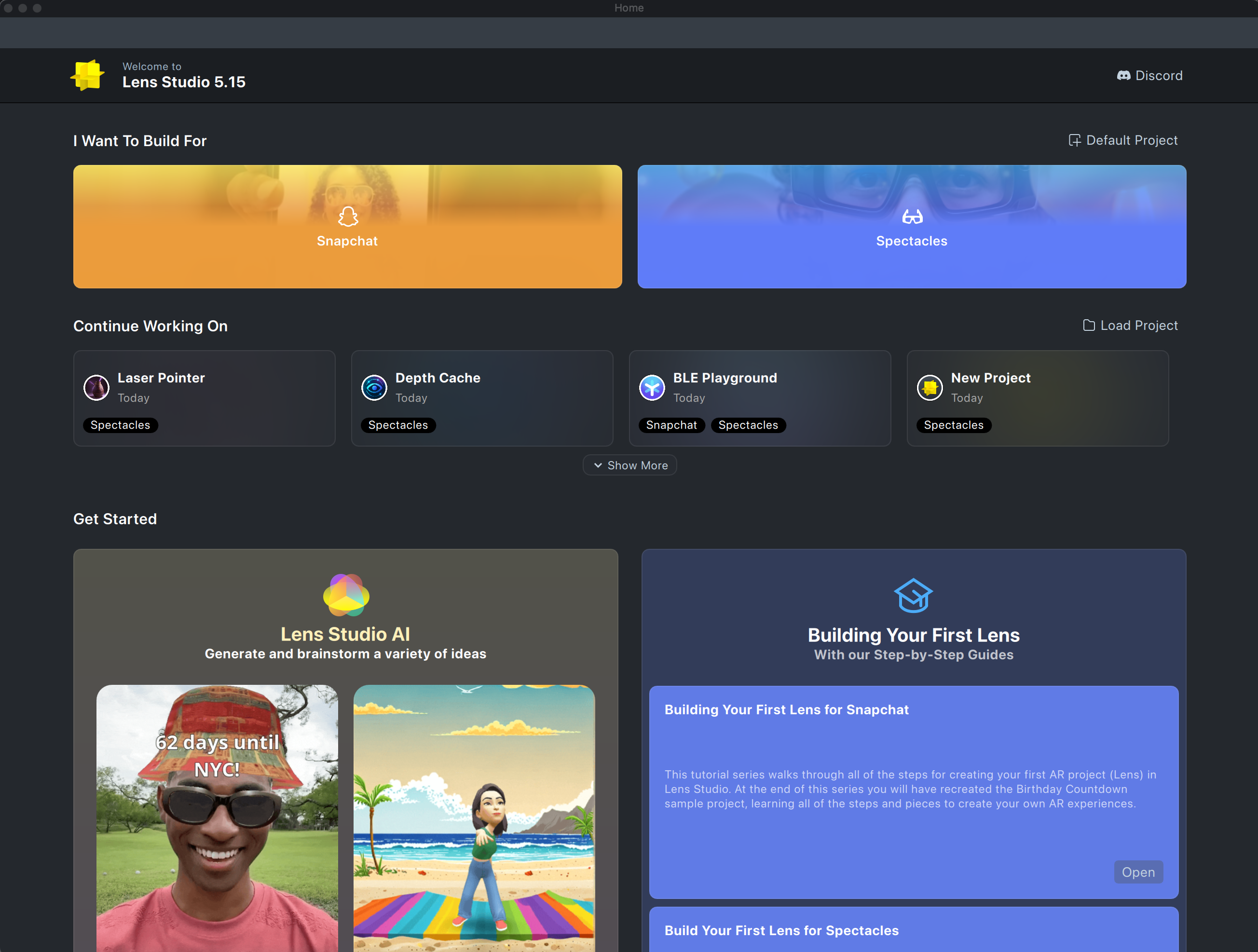
The Spectacles Starter Project includes the Spectacles Interaction Kit, which facilitates the creation of interactive experiences that align with the Spectacles experience. It provides optimal settings for building Lenses for Spectacles.
Starting a New Project
To create a new Lens project for Spectacles, locate the Home button in the top left corner of Lens Studio and click it to return to the Home Page.

In the Home Page, select either Default Project in the top right corner or Spectacles > Base Template.

Then, in the pop up window, in the Lens Works on section, select the checkbox next to Spectacles to enable.
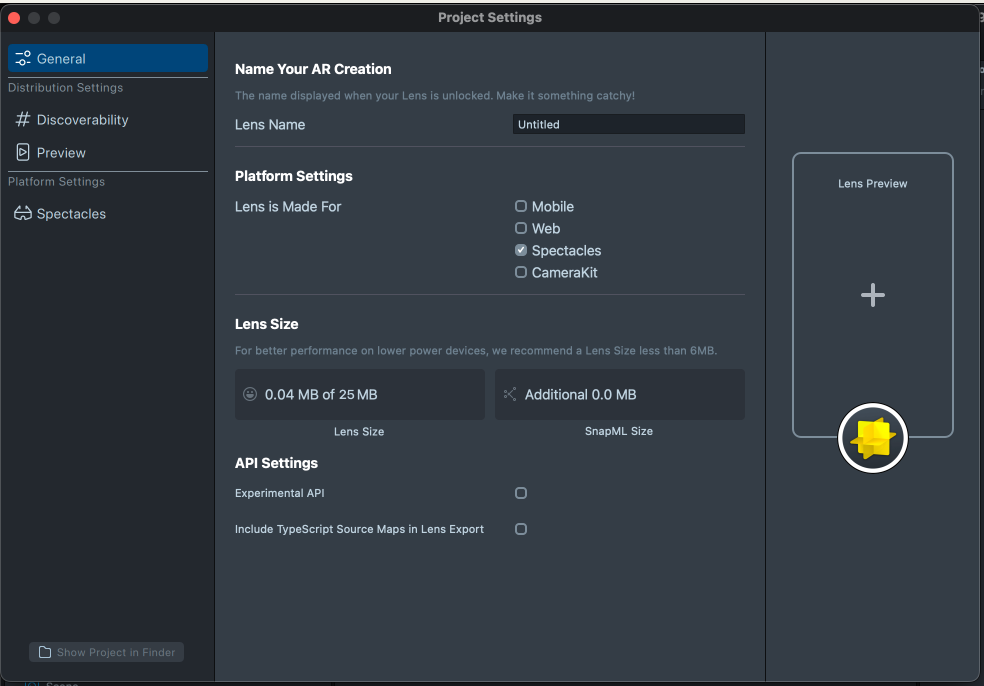
Set your Preview Panel for Spectacles in the next step.