Leaderboard Info
LeaderboardInfo is a headless, UI-flexible custom component that lets you display real-time rankings, scores, and Bitmoji avatars using text and image components—no code required. Ideal for creators who want to design custom scoreboards, banners, or end screens that blend natively into their game UI.
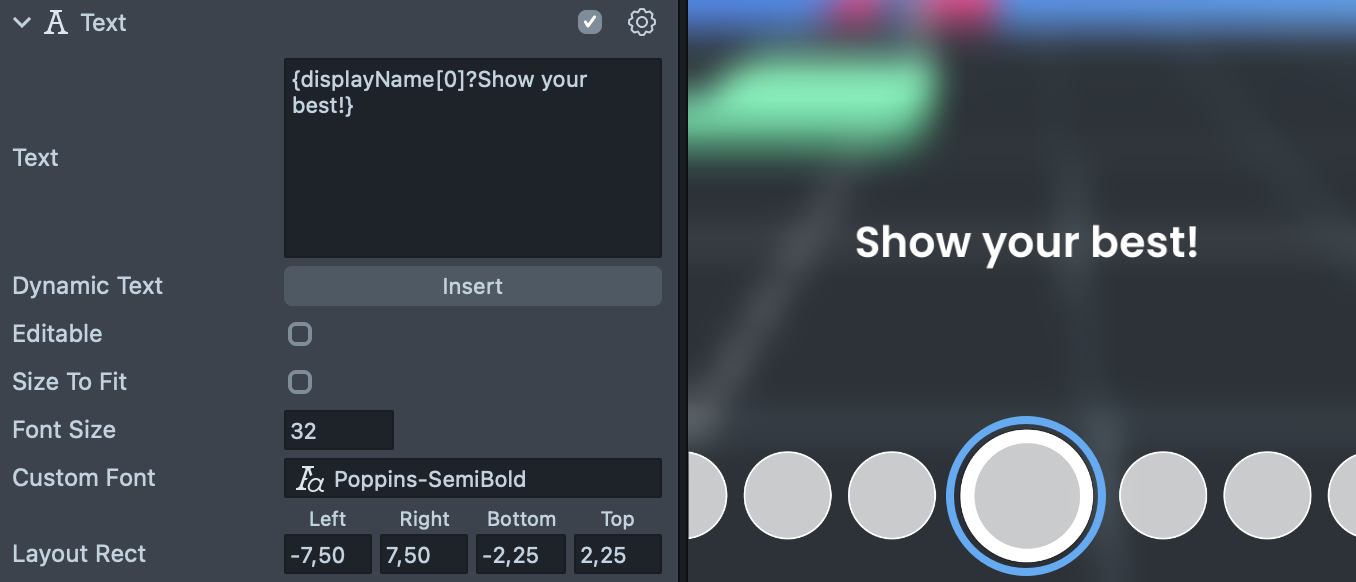
Usage
Get the Leaderboard Info component by going to the Asset Library and finding the Leaderboard Info in the Custom Components section.
Once added, in the Scene Panel:
- Add the Leaderboard Info component to the scene hierarchy.
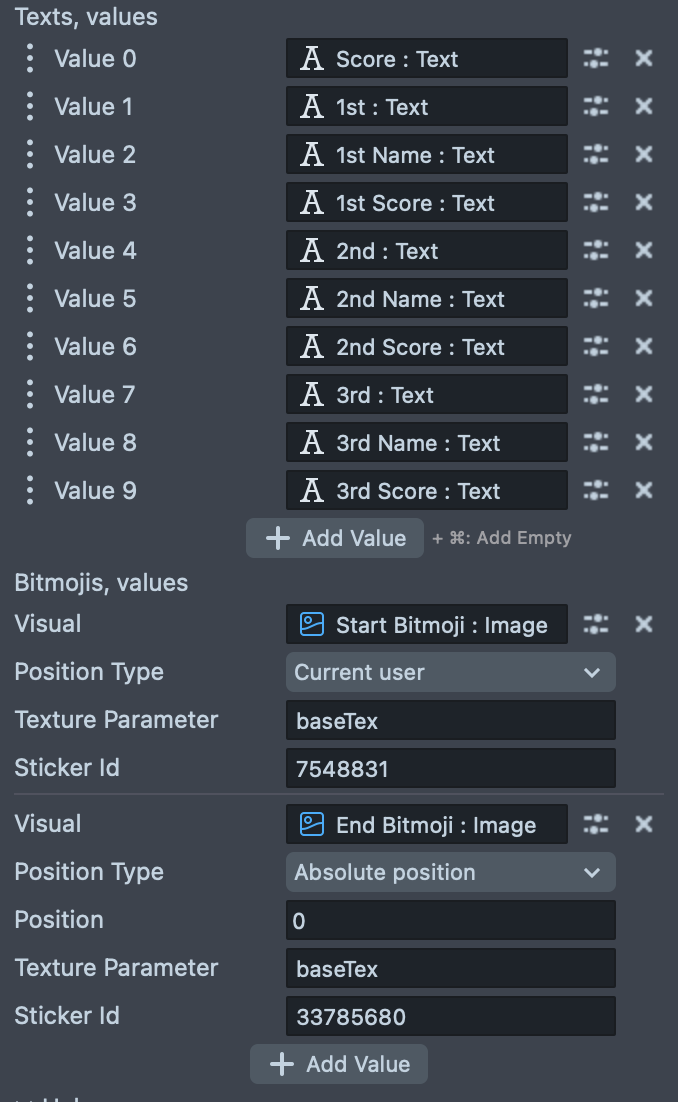
- Add your own text components and image components in the inspector panel for Leaderboard Info.
- Use the tags in the text components to display users names, scores, ranks, etc.
- Use the available API to submit scores and more: everything that is available in Leaderboard Core is also available here.
Tags
You can use the following tags in the text components to display dynamic leaderboard information:
| Tag | Description |
|---|---|
{currentUserDisplayName} | Replaced by the current user's display name. |
{currentUserUsername} | Replaced by the current user's username. |
{currentUserScore} | Displays the current user's score. |
{currentUserGlobalExactRank} | Displays the current user's global rank. |
{currentUserGlobalRankPercentile} | Displays the current user's global rank percentile. |
{currentUserPosition} | Displays the current user's position in the leaderboard. |
{displayName[0]} | Replaced by the display name of the user in the first position of the leaderboard. |
{username[0]} | Replaced by the username of the user in the first position of the leaderboard. |
{score[0]} | Displays the score for first position of the leaderboard. |
{globalExactRank[0]} | Displays the exact global rank of the user in the first position of the leaderboard. |
{globalRankPercentile[0]} | Displays the global rank percentile for the first position of the leaderboard. |
{position[0]} | Displays the position of the user, for the first position it will be replaced by the text "1" |
Tags indexing
The index in the square brackets can be changed to display information for other positions in the leaderboard,
for example {displayName[1]} for the second position, {displayName[2]} for the third position, and so on.
The index is an offset that starts from 0 like in most programming languages.
The index can be relative to the current user by using a negative or positive sign:
{displayName[-1]}for the user just above the current user{displayName[+1]}for the user just below the current user
For example, if the current user is in position 5:
{displayName[-1]}will show the display name of the user in position 4{currentUserDisplayName}will show the display name of the current user in position 5{displayName[+1]}will show the display name of the user in position 6{displayName[+2]}will show the display name of the user in position 7
Optional tags and default values
If a tag cannot be resolved (for example, if there is no user score in the specified position),
it will be replaced by an empty string. You can make a tag optional by adding a question mark ? before the closing
curly brace.
For example, {displayName[10]?} is considered an optional tag.
Optional tags can have a default value specified after the question mark, just like:
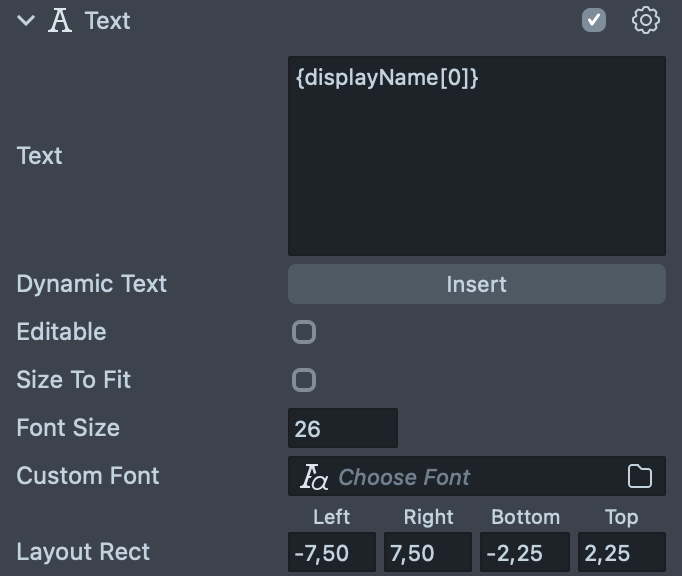
{displayName[10]?No user} which will display "No user" if there is no user in the eleventh position of the leaderboard.
Combining tags
Tags can be combined to display more complex information. For example, to display the current user's rank and score in a single text component, you can use the following format:
Hello {currentUserDisplayName?there},
Your rank is {currentUserGlobalExactRank} with a score of {currentUserScore}
This could result in:
Hello John,
Your rank is 5 with a score of 1500
If you wish to disable the text component when none of the required tags are available (for example, if the current
user does not have a score yet), you can enable the Disable When All Required Tags Are Undefined option in the
inspector panel for Leaderboard Info.
Submitting scores
You can submit scores to the leaderboard using the submitScore method. This can be done in response to user actions,
such as tapping on the screen, or after completing a game level.
//@input Component.ScriptComponent LeaderboardInfo

const tap = script.createEvent('TapEvent');
tap.bind(() => {
  script.LeaderboardInfo.submitScore(Math.ceil(Math.random() * 100));
});
API
Leaderboard Info supports the same API as Leaderboard Core.
submitScore(score: number) : void
Submits score to leaderboard. This method does not wait for the score to be submitted. Check onScoreSubmittedSuccess and submitScoreAsync.
submitScoreAsync(score: number) : Promise<void>
Submits score to leaderboard asynchronously. The Promise is resolved once the score is submitted successfully, it is rejected in case of failure.
initializeWithOptions(leaderboardInitializationOptions: LeaderboardInitializationOptions) : void
Initializes leaderboard from code.
- Usage example
- Declarations
//@input Component.ScriptComponent Leaderboard

script.Leaderboard.initializeWithOptions({
  name: 'name',
  userType: Leaderboard.UsersType.Friends,
  scoreOrdering: Leaderboard.OrderingType.Descending,
  userLimit: 10,
  scoreResetInterval: script.Leaderboard.ScoreResetIntervalOption.Week,
  useTimer: true,
  leaderboardStartDate: '9/27/2024',
});

const tap = script.createEvent('TapEvent');
tap.bind(() => {
  script.Leaderboard.submitScore(Math.ceil(Math.random() * 100));
});
export type LeaderboardInitializationOptions = {
    name: string;
    userType: Leaderboard.UsersType;
    scoreOrdering: Leaderboard.OrderingType;
    scoreResetInterval: ScoreResetIntervalOption;
    userLimit: number;
    useTimer: boolean;
    leaderboardStartDate?: string; // format "mm/dd/yyyy"
};

export enum ScoreResetIntervalOption {
    Day = 0,
    Week = 1,
    Month = 2,
    Year = 3
}
async getLeaderboard() : Promise<Leaderboard>
Returns Leaderboard object.
async getCurrentUser() : Promise<SnapchatUser>
Returns the SnapchatUser object for the current user.
async getCurrentUserBitmoji() : Promise<Texture>
Returns texture with current user bitmoji sticker.
API Events
onLeaderboardRecordsUpdated : Event<LeaderboardRecordsWrapper>
Triggers when any records are updated and returns a LeaderboardRecordsWrapper object. This object contains two properties:
userRecords: UserRecord[] – An array of records for all players.currentUserRecord: UserRecord | null – The record for the current user, or null if none exists.
onScoreSubmittedSuccess : Event<LeaderboardRecordsWrapper>
Triggers when a score has been submitted successfully and returns a LeaderboardRecordsWrapper object like onLeaderboardRecordsUpdated
Restrictions
When using Leaderboard Lenses, some APIs will be restricted in order to protect the user's privacy. For the full list of restricted APIs, see Privacy Restrictions.